Key Takeaways
Framer: design-first, fast to launch, ideal for visually rich, creative sites.
Webflow: structure-focused, scalable, better for SEO, complex content, and long-term growth.
Choice impacts workflow, maintenance, team collaboration, and future needs.
Framer suits MVPs and expressive branding; Webflow excels for content systems, scalability, client projects.
The debate around Framer vs Webflow has become more confusing in 2026 because both platforms solve the problem: building modern websites without writing code. Yet beneath that similarity, they are optimized for very different outcomes.
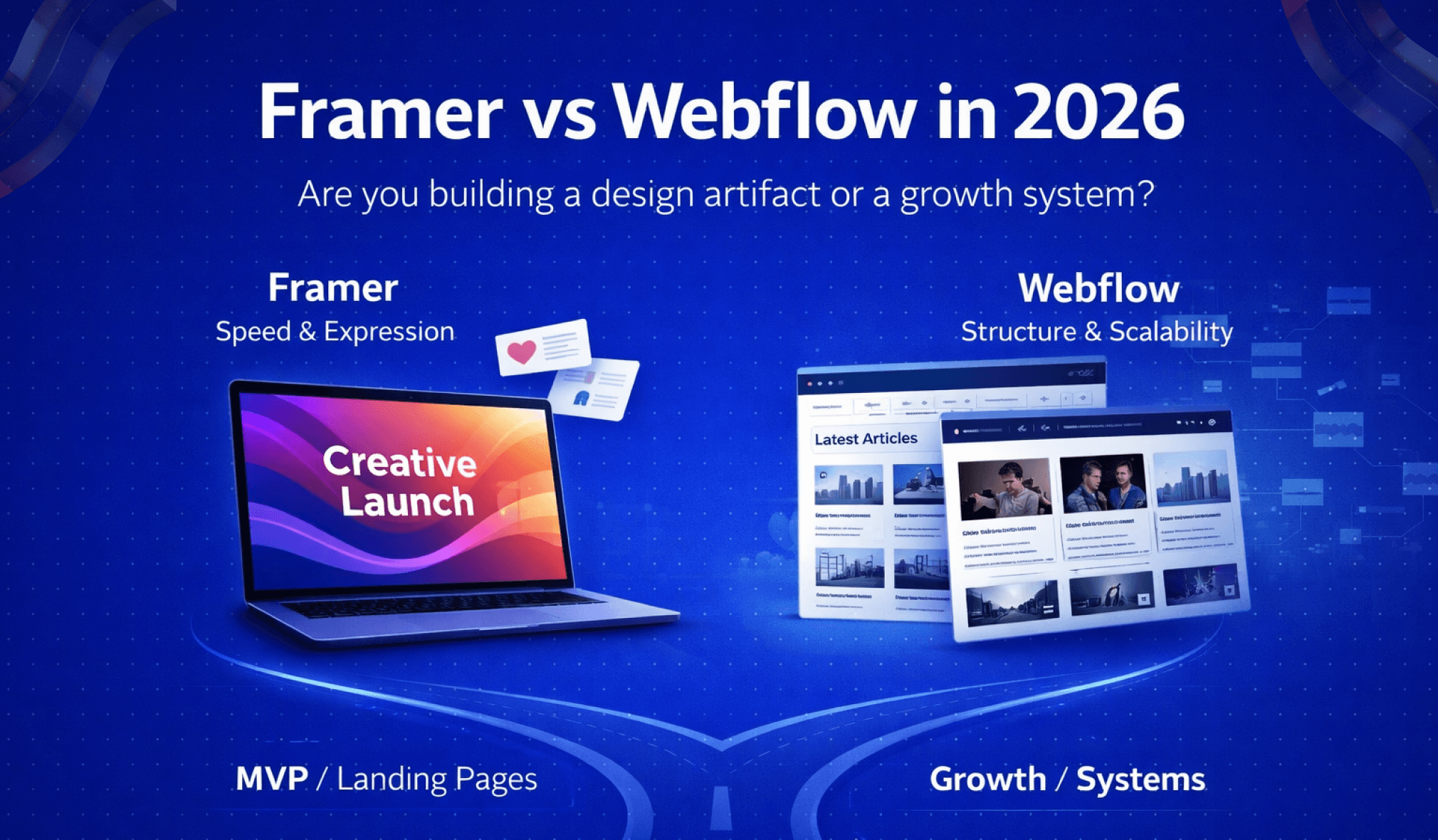
Framer emphasizes speed, visual freedom, and design-led experiences. Webflow, by contrast, is built around scalability, structured content, SEO, and long-term growth. These differences are rarely obvious at the beginning, which is why many teams only realize they made the wrong choice months later. The consequences typically show up through SEO constraints, scaling challenges, or workflows that no longer support growth.
What works well for a portfolio or MVP can quietly become a limitation once traffic increases, content expands, and conversions matter. Understanding these long-term trade-offs is essential before committing to either platform.
Understanding the Real Problem: Why People Struggle to Choose Between Framer and Webflow
At the heart of the Framer vs Webflow confusion is a misunderstanding of what the decision actually represents. Most people believe they are choosing a website builder. In reality, they are choosing a system that defines how their website grows, how teams collaborate, and how sustainable the site remains over time.
This is why so many Framer or Webflow decisions feel uncertain in hindsight. When platforms are evaluated primarily on features, both appear equally capable at launch.
The regret tends to come later, once real-world demands expose the structural strengths and weaknesses of each tool.
Framer vs Webflow: Features or Future?
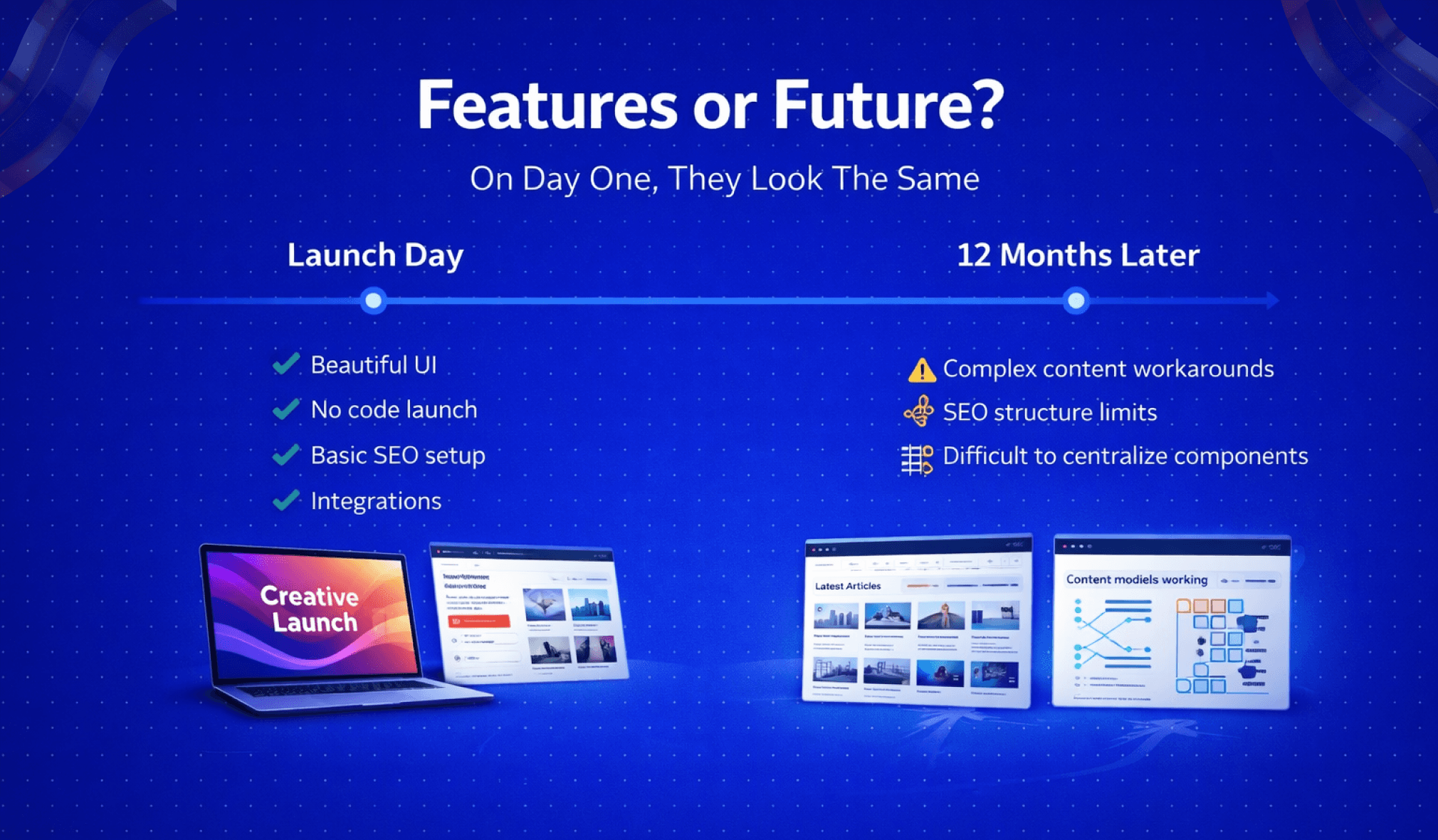
On day one, through Framer and Webflow you launch visually impressive websites, publish pages without code, apply basic SEO settings, and integrate common tools. This makes feature-based comparisons especially convincing for beginners.
The problem is that websites don’t stay static. As soon as real usage begins, new requirements emerge. Content expands, traffic grows, SEO becomes strategic, teams collaborate, and performance expectations rise. At that point, the platform that felt perfect at launch may not be designed for what comes next.
This is where the true divide between Framer and Webflow appears. Framer is optimized for speed, iteration, and creative freedom. Webflow is optimized for structure, scalability, and long-term control. Neither approach is inherently better, but choosing the wrong one for your future needs creates friction that compounds over time.
Short-Term Wins vs Long-Term Limitations of Webflow vs Framer
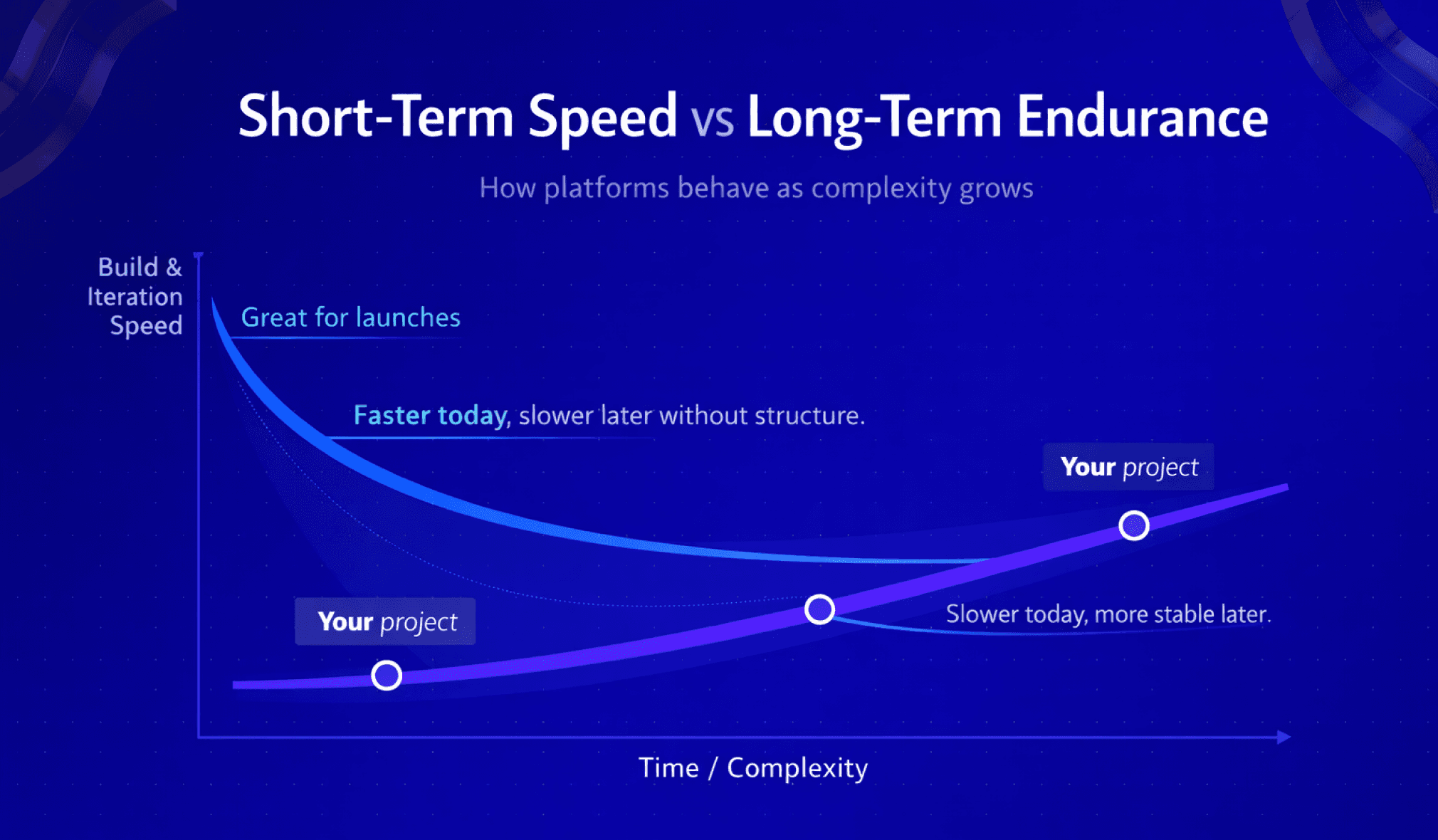
Framer is often chosen because it delivers immediate results. Designers can move fast, experiment freely, and ship polished sites with minimal setup. For early-stage ideas, landing pages, or design-driven websites, this speed is a genuine advantage.
Webflow can feel heavier by comparison. It introduces structure early, requires more upfront decisions, and enforces rules that can seem unnecessary for small projects. This leads many users to dismiss Webflow as overkill.
The issue is that short-term convenience can hide long-term limitations. A platform that feels fast today may slow you down once content models become more complex, SEO becomes a primary growth channel, multiple contributors need access, or consistency and performance start to matter.
By the time those limitations surface, switching platforms is rarely simple.
Framer vs Webflow Explained: Core Philosophy and How Each Platform Thinks
Although Framer and Webflow overlap visually, they are built on fundamentally different philosophies. Understanding how each platform “thinks” often makes the right choice obvious.
Understanding Framer’s Philosophy of Speed and Visual Creation
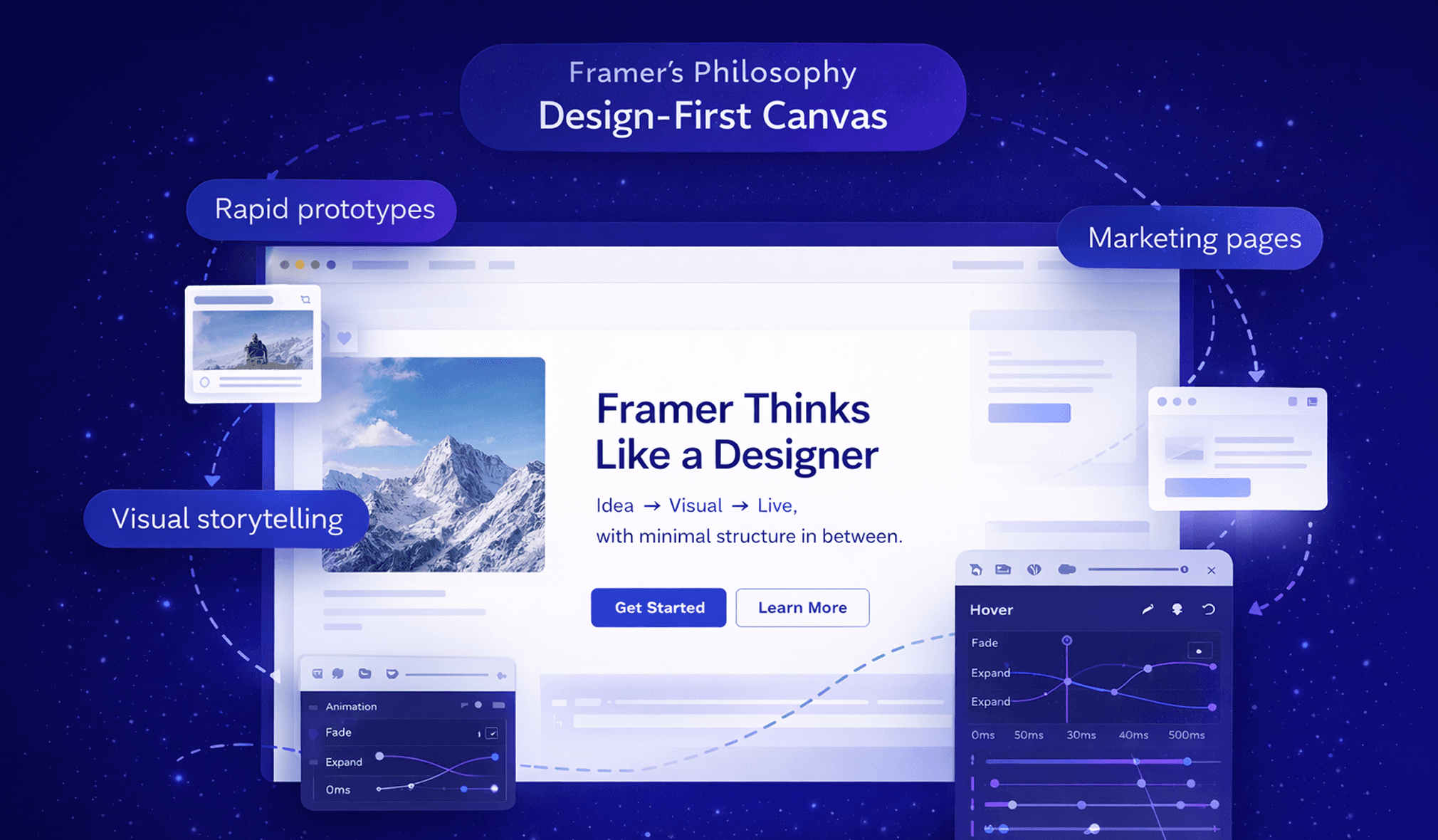
Framer is designed for designers who want to move quickly. Its design-first, visual-first approach feels immediately familiar to anyone coming from Figma or motion design tools. The platform is optimized for real-time creation rather than long-term system management.
Motion is native to Framer, animations, transitions, and interactions are part of its core identity, not secondary features. This makes Framer especially effective for rapid prototyping, marketing and landing pages, and design-led websites where visuals carry the message.
Framer’s greatest strength is the lack of friction between idea and execution. Designers can design, animate, and publish without worrying much about structure or content architecture. However, this same abstraction limits flexibility as complexity increases. Framer assumes relatively contained content, small teams, and design as the primary priority. When those assumptions no longer hold, friction begins to appear.
Understanding Webflow’s Philosophy of Structure and Scalability
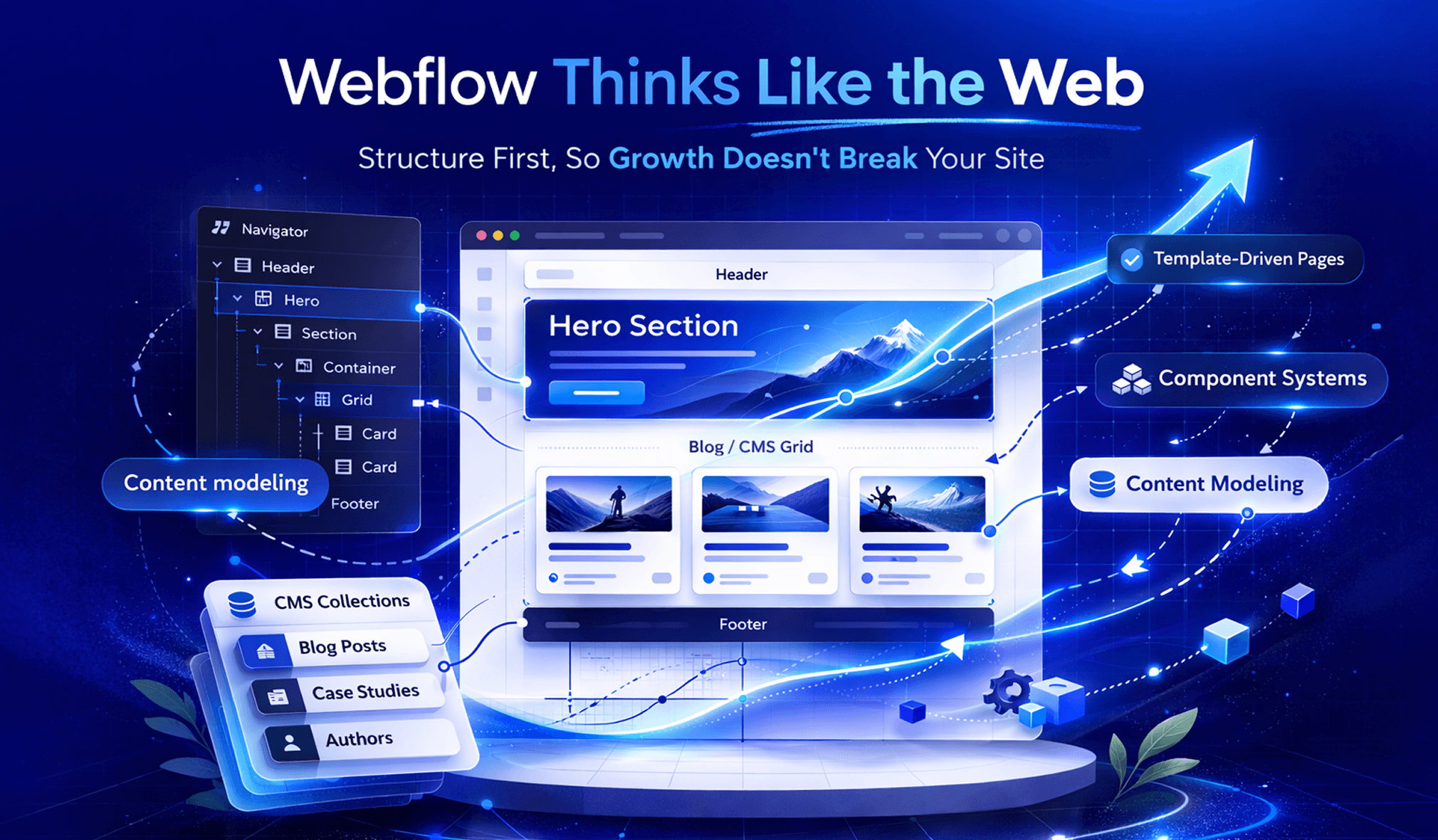
Webflow approaches the problem from the opposite direction. Instead of prioritizing speed of creation, it prioritizes reliability at scale. Webflow is deeply aligned with how the web actually works, from HTML and CSS to layout structure and content hierarchy.
This makes Webflow feel more complex initially, but that complexity is intentional. Webflow treats websites as living systems rather than static designs. It is built for structured content, SEO-driven growth, multi-template architectures, and teams that require predictable workflows.
By enforcing structure early, Webflow prevents many problems later. Sites tend to scale more cleanly, support large content libraries more effectively, and remain maintainable as teams grow.
In short, Framer optimizes for speed and creative iteration, while Webflow optimizes for durability and long-term growth.
Framer vs Webflow Feature Comparison: What Actually Changes Outcomes
Rather than listing surface-level features, GrabUI focuses on the areas that influence growth, maintainability, SEO, and team efficiency over time.
Design and Visual Control: Creative Freedom vs Structured Layouts
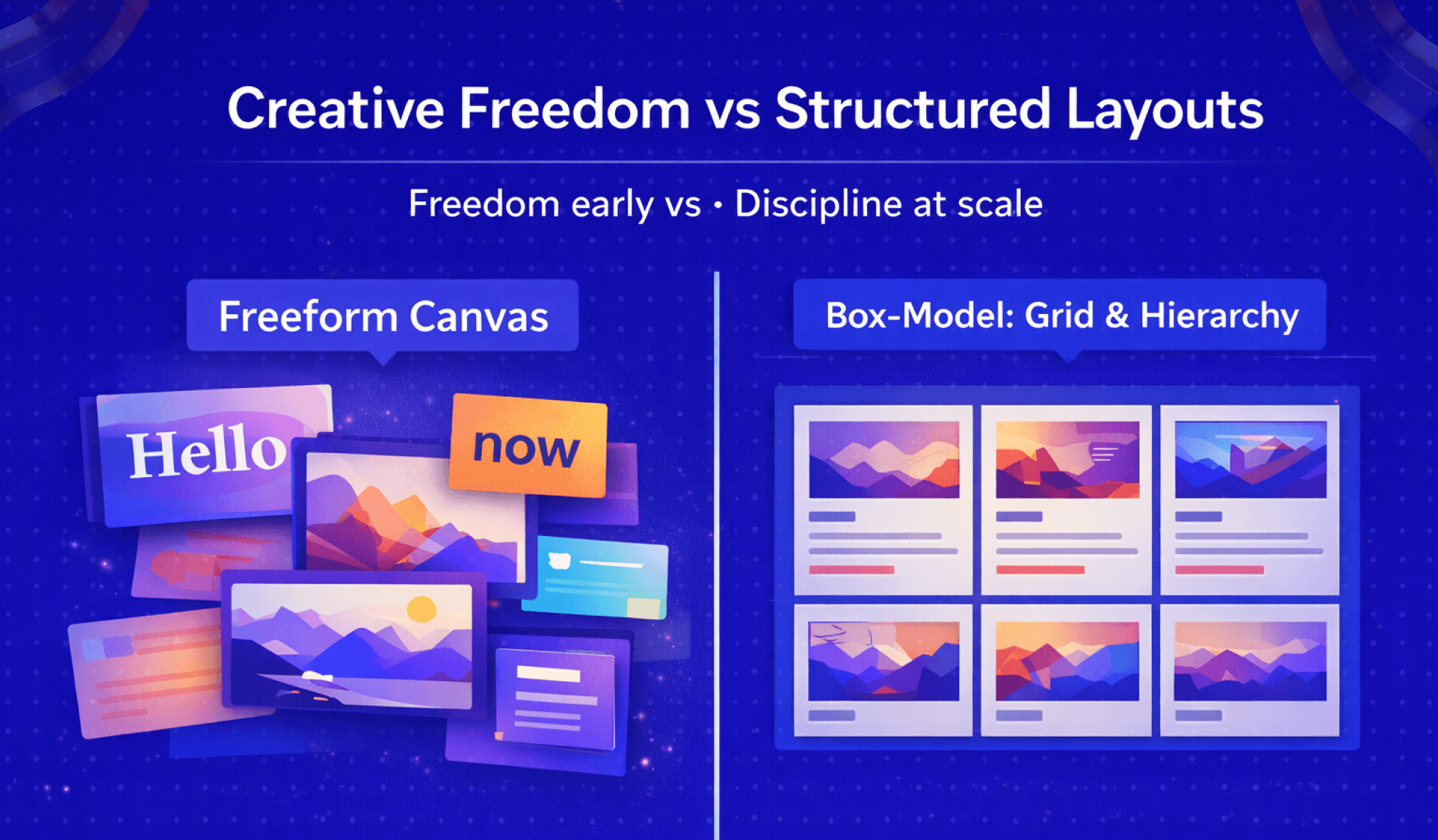
Framer feels liberating by design. Its canvas-based approach lets designers place elements freely and think visually rather than structurally. This makes it ideal for expressive brands, motion-heavy landing pages, and experimentation.
Webflow’s box-model system mirrors HTML and CSS. Layouts are structured, nested, and rule-based, which initially feels restrictive but introduces predictability. While Framer maximizes freedom early, Webflow reduces chaos as complexity grows by enforcing discipline from the start.
GrabUI Verdict
Choose Framer for visual expression and motion. Choose Webflow for consistency and long-term maintainability.
CMS Capabilities: Content Management That Scales
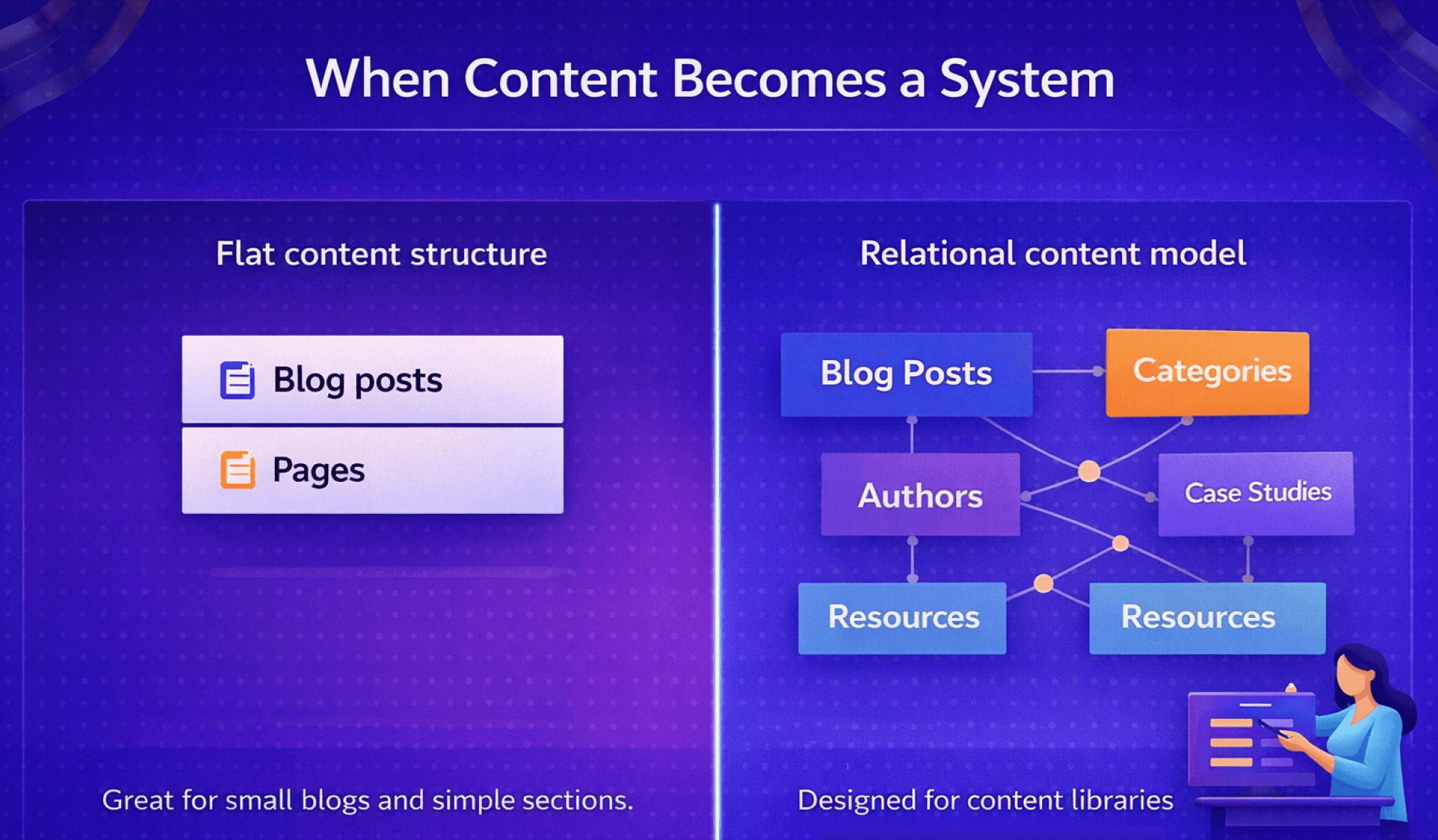
Framer’s CMS is intentionally lightweight and works well for small blogs and simple content sections. Its flat content model is easy to use early on but becomes restrictive as content strategies mature.
Webflow’s CMS supports relational content models, making it suitable for blogs, resource hubs, case study libraries, documentation, and template-driven pages. Its editor experience is also designed for non-designers, allowing marketers and clients to update content safely without touching layouts.
GrabUI Verdict
Framer works for content-light sites. Webflow is significantly safer when content drives growth.
SEO Capabilities: Framer vs Webflow for Search Engine Optimization
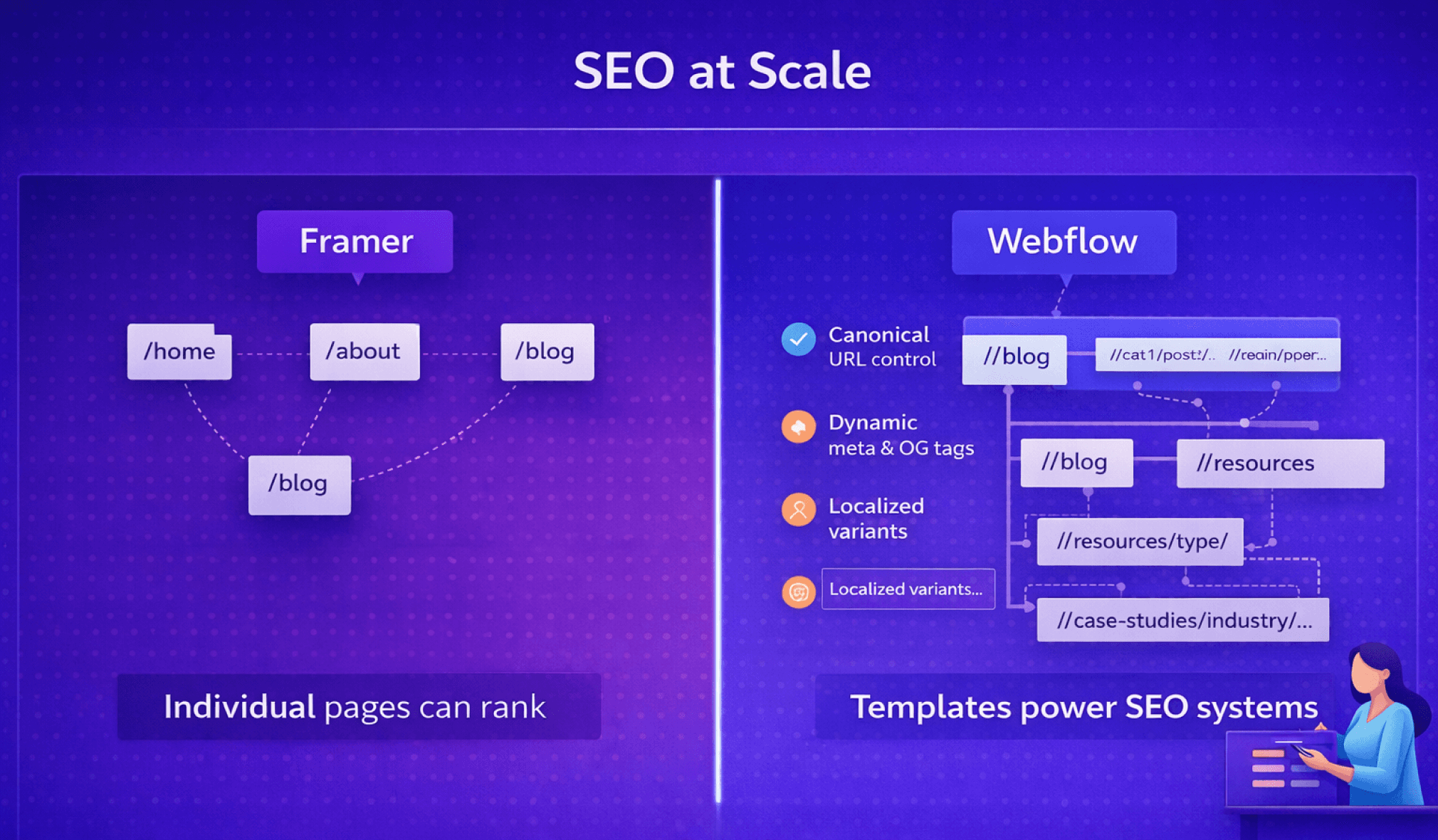
Both platforms cover basic SEO requirements, but long-term SEO success depends on structure, not checklists. Webflow provides granular control over URL architecture, internal linking through CMS relationships, indexation logic, and scalable template-driven SEO.
Framer can rank pages, but scaling SEO becomes challenging as content volume increases. Managing URL hierarchy, internal linking, localization, and programmatic SEO is more limited and often requires workarounds.
GrabUI Verdict
Framer can support SEO pages. Webflow supports SEO systems.
Website Performance and Technical Stability Over Time
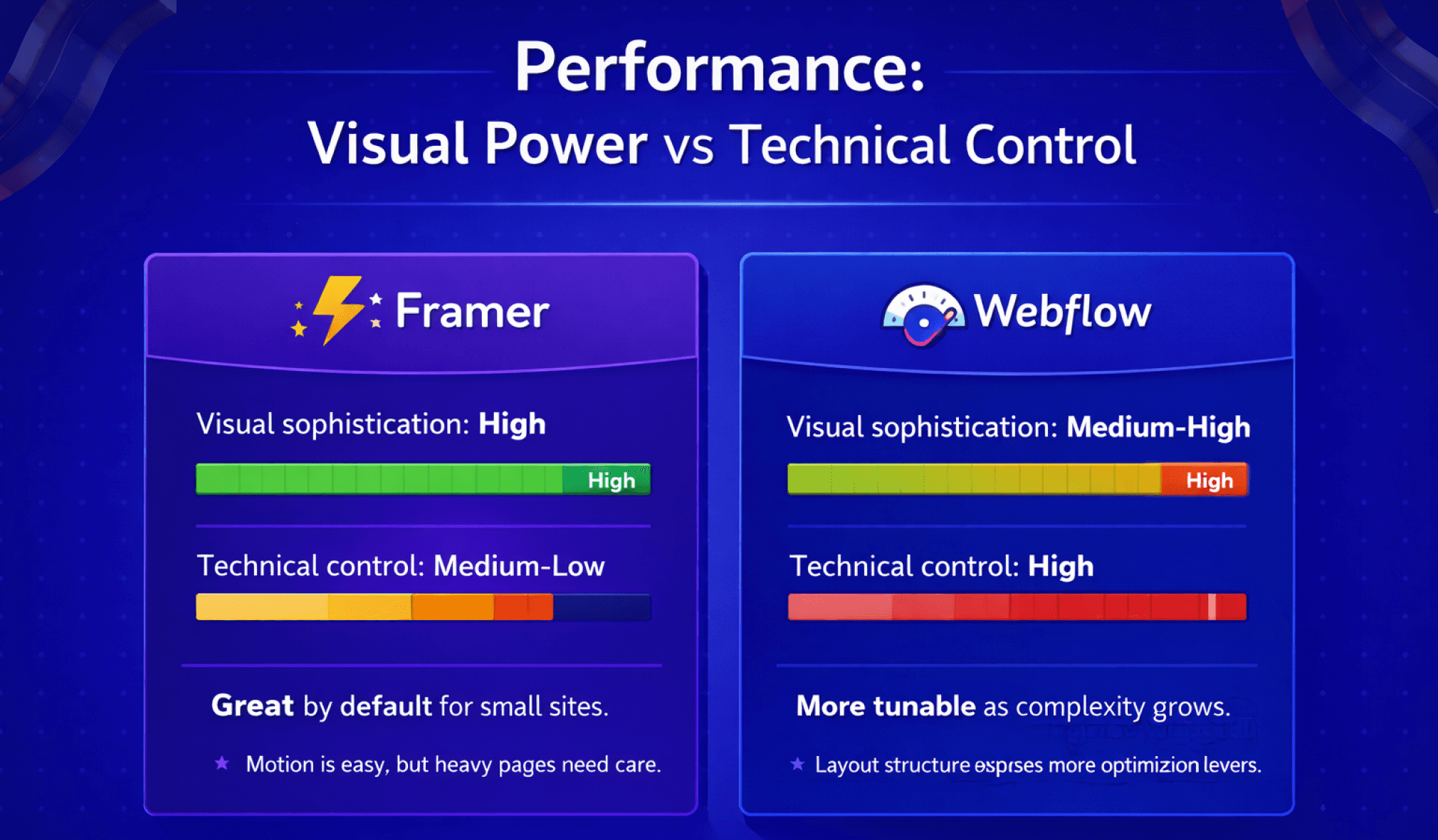
Performance issues accumulate gradually. Framer’s animation-heavy approach delivers strong visual experiences but requires careful management as pages grow. Webflow’s predictable layouts make optimization more manageable as complexity increases.
Another key difference is control. Framer abstracts more technical detail, which simplifies early development but limits optimization later. Webflow exposes more structure, making long-term performance tuning easier.
GrabUI Verdict
Framer performs well for small sites. Webflow offers better performance control at scale.
E-commerce, Integrations, and Advanced Workflows
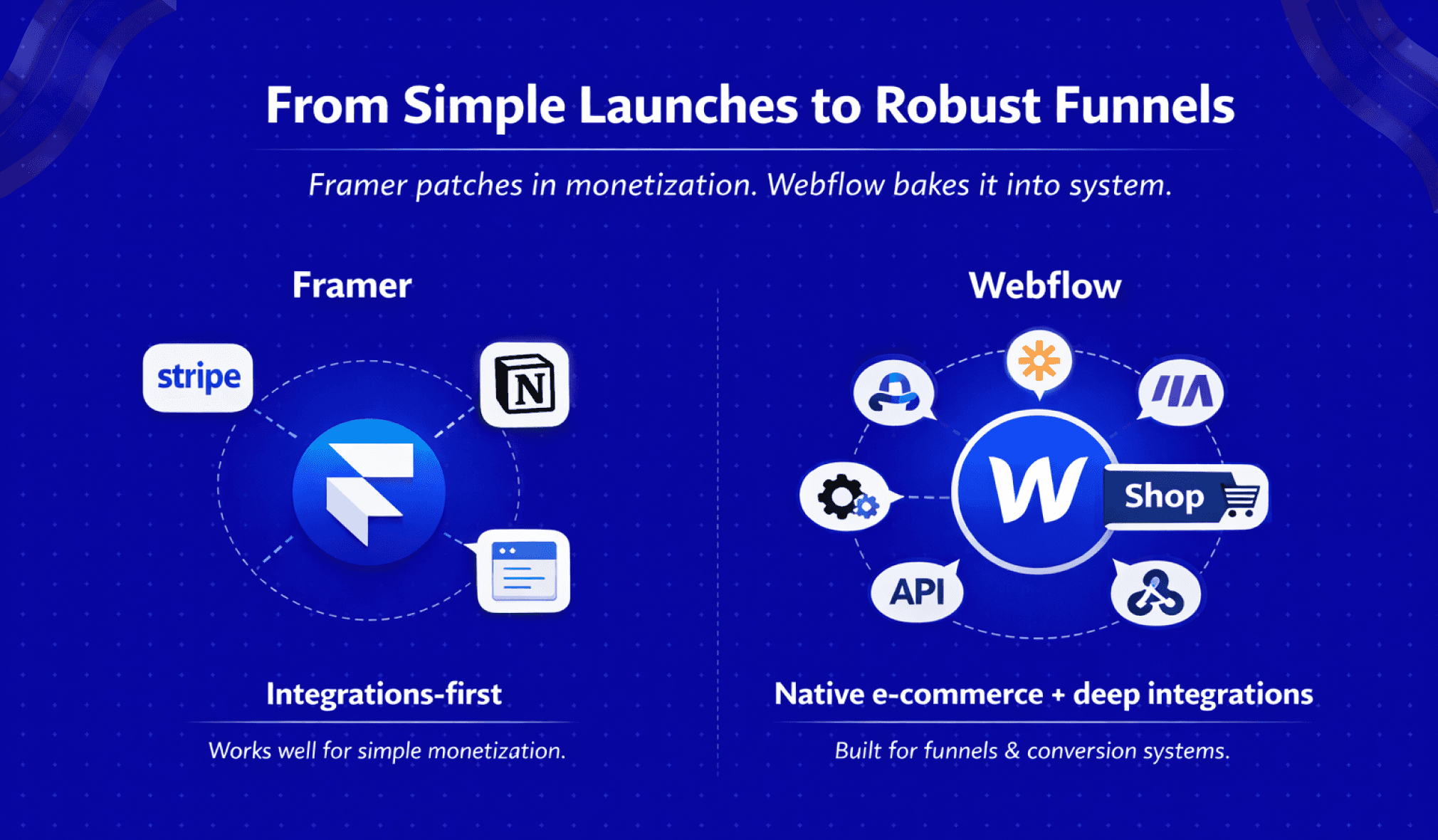
Framer relies heavily on integrations for monetization and advanced workflows, which works for simple launches but becomes fragile as funnels grow. Webflow offers native e-commerce, deeper integrations, and greater extensibility through APIs and automation tools.
GrabUI Verdict
Framer supports simple monetization. Webflow is built for scalable conversion systems.
Role-Based Decision Guide: Which Platform Is Right for You?
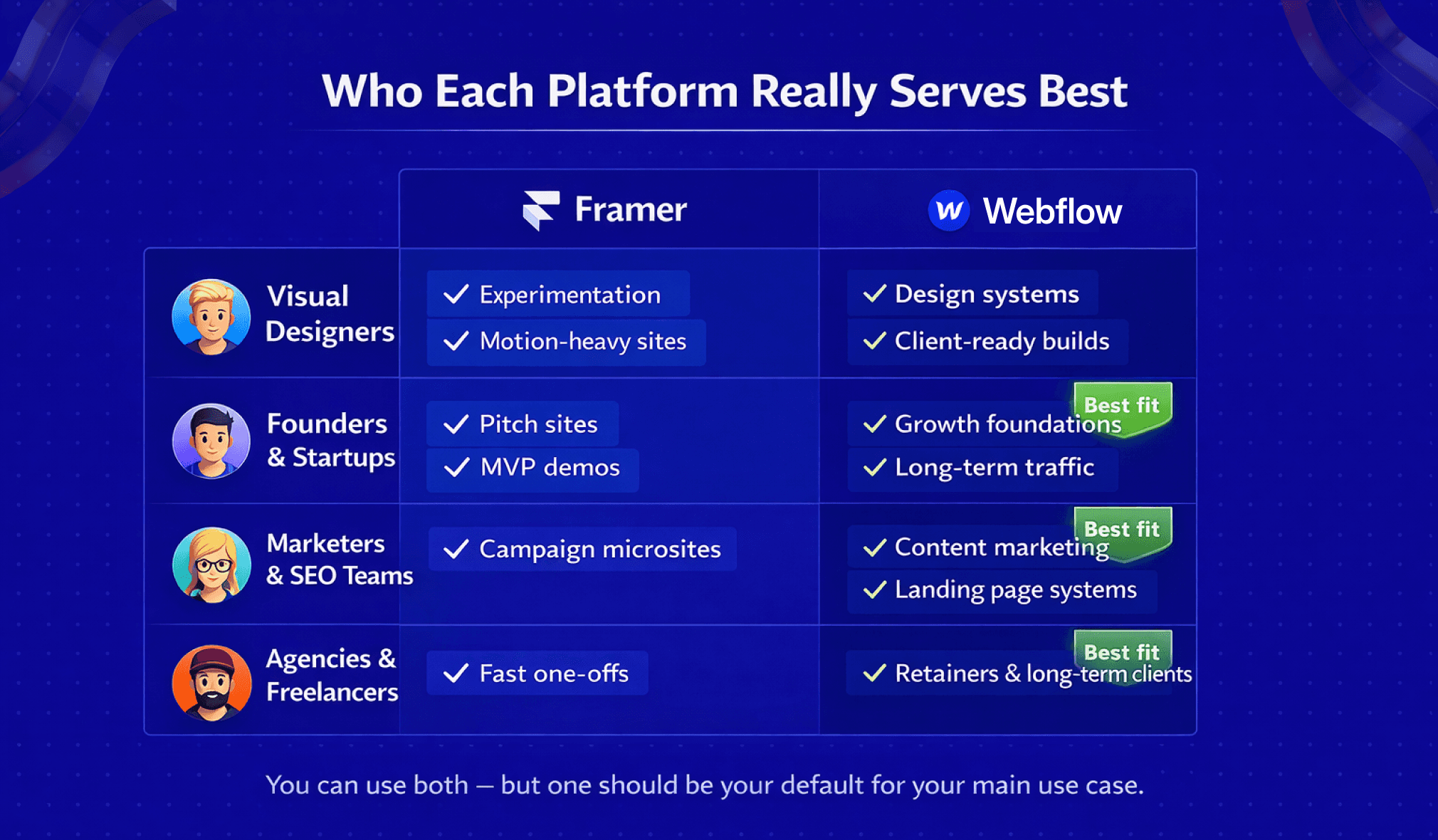
The Framer vs Webflow decision becomes clearer when viewed through roles rather than features.
Designers focused on visual expression, motion, and experimentation will feel at home in Framer, while those building long-term systems or client projects benefit from Webflow’s structure.
Founders at the MVP or demo stage gain speed with Framer, but startups focused on organic growth and conversion scalability are better served by Webflow.
Marketers and SEO teams benefit from Webflow’s CMS, SEO controls, and testing workflows, while Framer suits short-term campaigns and brand storytelling.
Agencies and freelancers may use Framer for fast delivery, but Webflow offers safer client handoff, lower maintenance risk, and stronger long-term relationships.
FAQ
Is Framer or Webflow better for SEO in the long run?
Webflow is better for long-term SEO scalability. While both Framer and Webflow support basic SEO features like meta tags and sitemaps, Webflow offers significantly more control over URL structure, internal linking, CMS-driven templates, and indexation logic. This makes Webflow more suitable for content-heavy sites, blogs, localization, and programmatic SEO. Framer can rank individual pages, but as content grows, its structural limitations can restrict SEO compounding over time.
Should startups choose Framer or Webflow for their MVP?
Framer is ideal for early-stage MVPs focused on speed, validation, and visual storytelling, especially for investor demos or short-term launches. However, startups planning to rely on organic traffic, content marketing, or scalable landing pages should consider Webflow early. Migrating from Framer to Webflow later can be costly, so the right choice depends on whether the MVP is primarily a presentation tool or a foundation for growth.
Which platform is safer for agencies and long-term client projects?
Webflow is generally safer for agencies and long-term client work. It offers clearer content structures, better client handoff, and reduced maintenance risk over time. Clients can update content without breaking layouts, and teams can collaborate more predictably. Framer works well for fixed-scope or design-led projects, but it often increases post-launch support when clients need ongoing updates.
Final Verdict
Framer vs Webflow is not about which platform is better. It’s about whether your website is primarily a design artifact or a growth system. Framer excels at speed and creative expression. Webflow excels at structure, scalability, and longevity. Choosing the right platform early prevents friction that compounds later.

Tarik Eamin
CEO @ Whiteframe Creative
I’m on a mission to build premium, production-ready design systems that help products look sharp and ship faster. At GrabUI, we share thoughtfully built templates, sections, wireframes, UI elements, icons, branding assets, and motion templates designed for real-world products, not just showcase screens. Through practical blog resources, we help you make better design decisions not just prettier screens.
Pro+
Upgrade to Grabui
Discover unlimited inspiration to help you Design fast. Build faster.

9000+ sections
Websites in minutes

Elements and icons
Complete design toolbox

Instant copy & paste
Works with your platform
Share this article on


