Resources
Framer or Wix? See which platform is better for portfolios, SaaS, ecommerce, blogging, agencies, and business management in 2026.
Author

Tarik Eamin
Publish Date :
Read Time :
14 Minutes


Resources
Framer or Wix? See which platform is better for portfolios, SaaS, ecommerce, blogging, agencies, and business management in 2026.
Author
Tarik Eamin
Publish Date :
Read Time :
14 Minutes
Key Takeaways
Framer is best for design-led portfolios, SaaS websites, startup pages, and visually distinctive marketing experiences.
Wix is better for businesses that need ecommerce, bookings, memberships, payments, CRM, and marketing tools in one platform.
Wix Harmony suits beginners and business owners, while Wix Studio targets designers, agencies, and professional teams.
Both platforms provide solid CMS, SEO, hosting, and responsive-design tools, but implementation quality determines results.
Framer and Wix can both help you to make professional and polished websites through no code building solving different problems. Framer favors design focused websites, but the whole ecosystem of Wix focuses on advanced websites with critical features.
Each platforms comes with different requirements based on the features and its ability, so you need to know what you need. Both the website builders comes with AI assisted workflow, so you need to check everything one by one, to remove any AI slop.
Read the whole guide on Framer vs Wix to decide which website builder is best for your business.
Framer has introduced us to its new version which is called Framer 3.0, in June 2026, one of the biggest Framer updates. According to Framer’s statements, Framer 3.0 is expanding its AI and collaborative capabilities to the fullest.
Back in January 2026, Wix also introduced us to its new version called Wix Harmony Editor, continuing to position Wix Studio as its professional platform. The whole Wix ecosystem consists of Wix Editor, Wix Studio and Wix Harmony Editor.
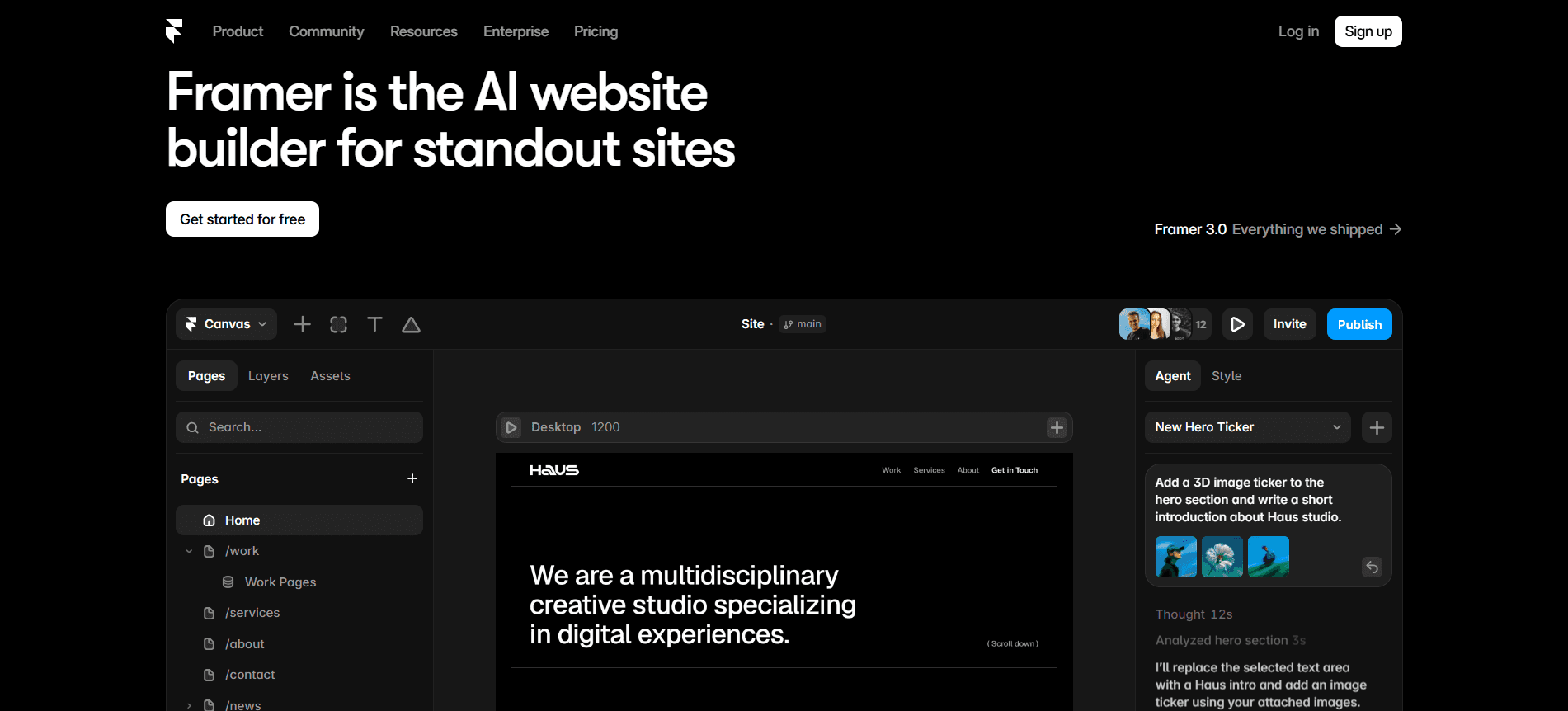
We all know that Framer combines visual website design with responsive layouts, animation, CMS, and manage publishing. It’s popular among designers for its Figma style interface with layers, frames, components, and layout systems.
Framer 3.0, the new version comes with AI agents, branching, deeper collaboration and a redesigned community ecosystem. Now, the Framer Agents will work in your project’s canvas to:
generate pages,
create responsive breakpoints,
add effects,
build components,
write code,
organize styles,
connect content to the CMS,
analyze site information and more for you.
This update is better than adding an AI text assistant, because the agents function within your project environment, working with same component, CMS, layouts, and styles.
Through branching, you and agents can examine revisions separately without instantly changing the main production version. This provides you a safer way to test the layouts, campaign pages, structural edits or changes by AI before adopting them.
Despite the new version of Framer, its central identity hasn’t changed, it still is strongest as a design and web production platform. You can now simply use an agent to build an early structure, generate responsive versions, link CMS fields, build components and then refine the result manually.
The three different versions of Wix, comes with different purposes, let’s find out:
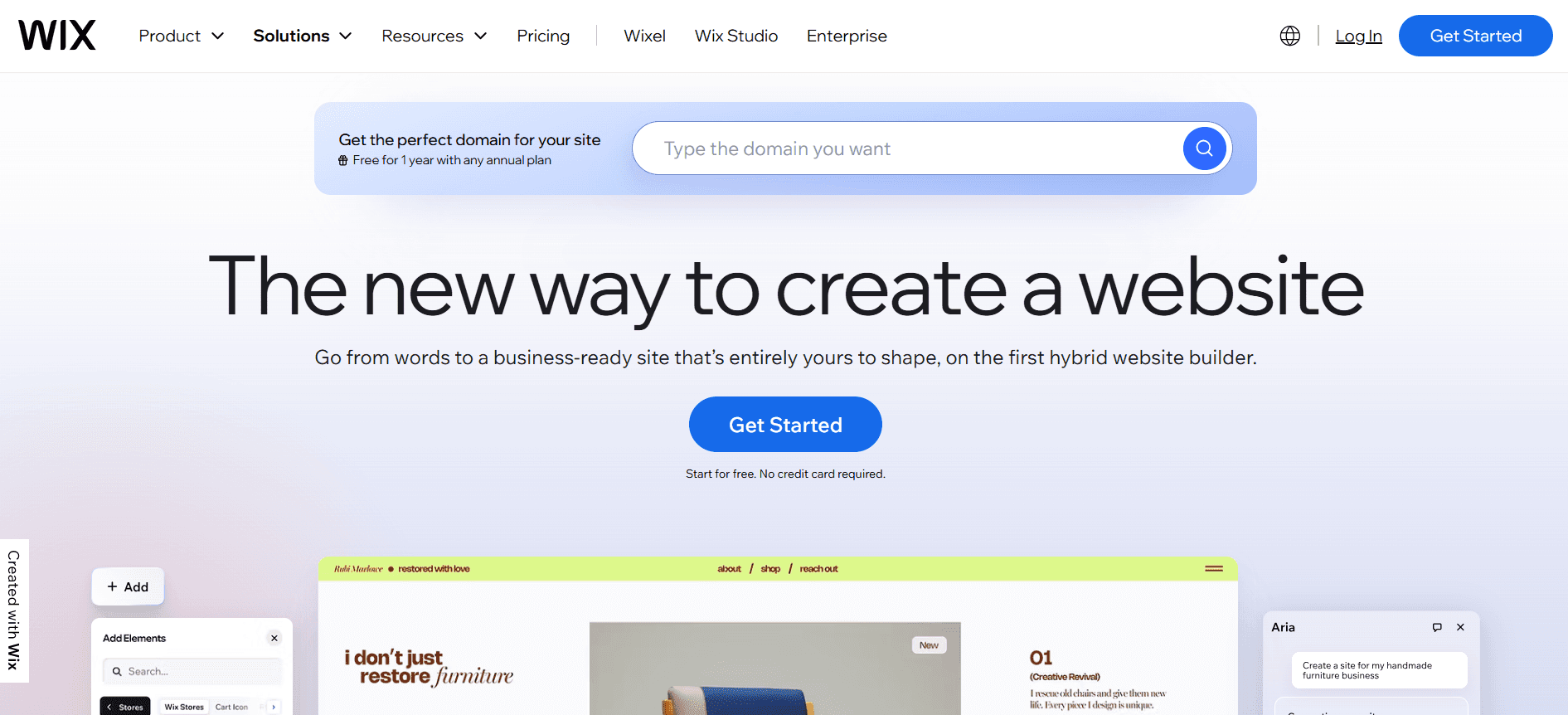
Wix is the whole business ecosystem where you can work with website creation, domain and hosting. Then it has advanced tools for ecommerce, online payments, scheduling, events, restaurants, subscriptions, memberships, customer management, email marketing, automations, and analytics, etc.
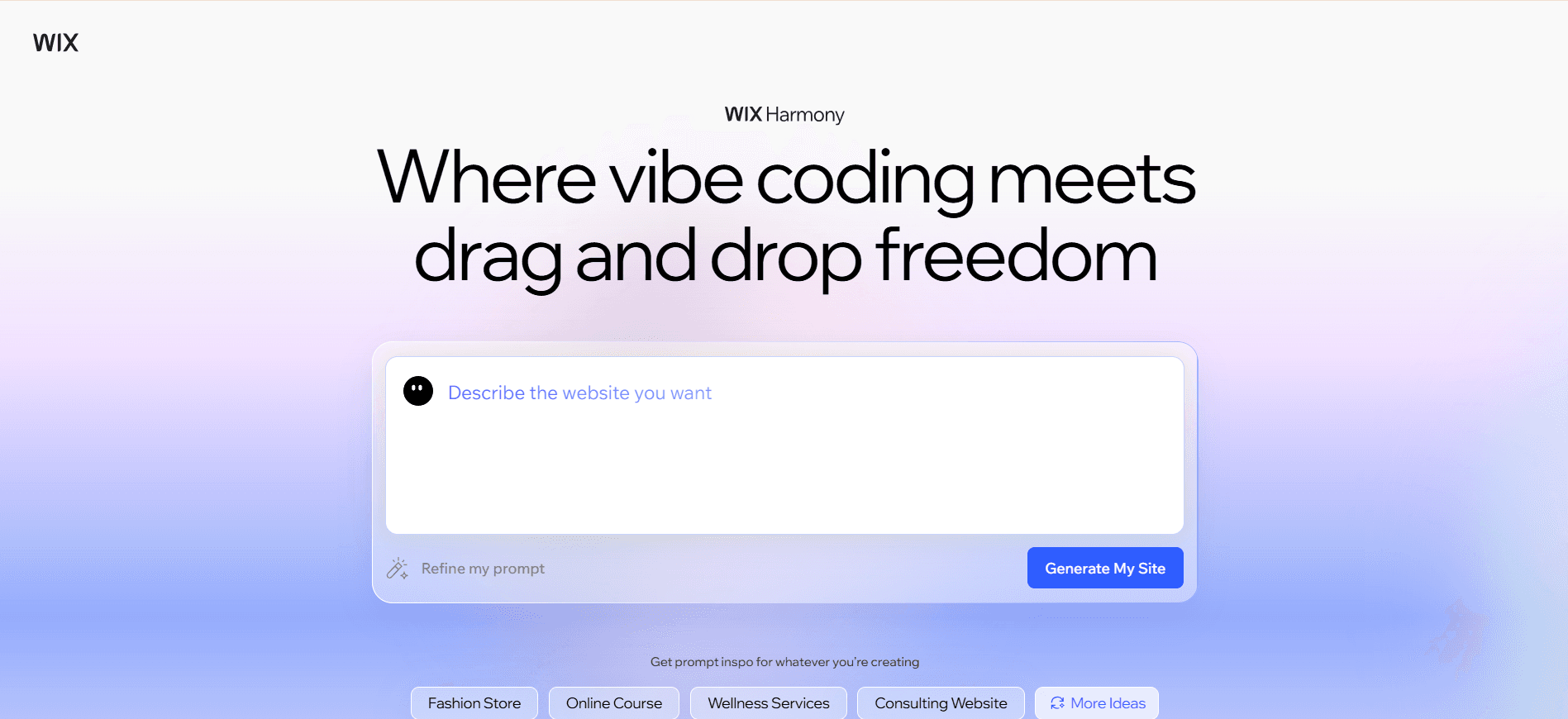
Wix Harmony is the new AI assisted version for individuals, entrepreneurs, creators, and small to medium sized businesses. It gives you the ease of conversational website creation with drag and drop editing option. The built in AI partner named Aria, can help you to generate pages, sections, copy, images, and custom components, etc. Moreover, Aria can help you to modify your website structure, styling, and business applications through Wix Harmony Editor.
If you are a business owner, then just describe the website you need, get an early structure, and then manually edit the layouts, texts, colors, and functionality.
And, if you add the store, booking system, blog, event calendar, or payment, etc features from Wix, those connect to the same dashboard in Wix Harmony.
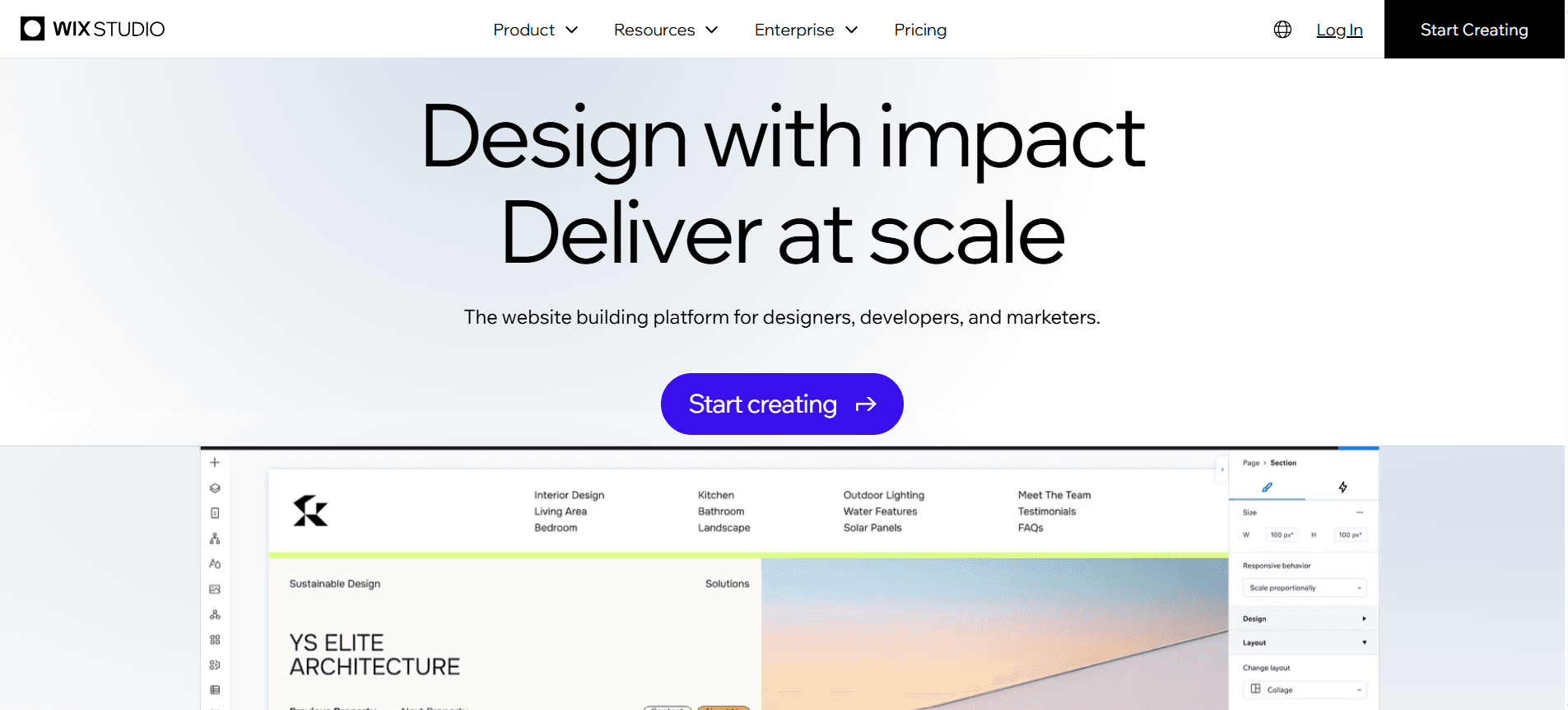
Wix Studio is known as a professional platform for the agencies, freelancers, designers, developers, marketers, and enterprise web teams. This version of Wix, comes with advanced:
responsive layouts,
custom breakpoints,
CSS grid and flexbox tools,
reusable design assets,
Figma workflows,
custom CSS,
development capabilities,
team permissions,
client handoff,
and centralized management for multiple websites, etc.
All over, Framer and Wix Studio are direct competitors for professional website building and growth. Framer is best for design focused, marketing, portfolio and SaaS websites. On the other hand, Wix Harmony is best for DIY and business websites managed by the owners themselves. And, Wix Studio is best for the agency websites having design control and business functionality.
Read this quick and comprehensive Framer vs Wix comparison, so that you can take your decision wisely.
Comparison Area | Framer | Wix & Wix Harmony | Wix Studio | Key Decision |
|---|---|---|---|---|
Primary purpose | Design focused websites and marketing experiences. | Website building plus business management. | Professional website creation with Wix business tools. | Choose based on whether your design or business operations matter more. |
Best for | Portfolios, SaaS sites, startup sites, landing pages | Small businesses, ecommerce, bookings, memberships | Agencies, freelancers, designers, and complex client sites | Framer for presentation; Wix for operations. |
Ease of use | Intuitive for designers but requires responsive-design knowledge. | Most beginner-friendly and guided. | More advanced and structured. | Wix is best for beginners and Framer for people with a little design knowledge. |
AI tools | Agents can create pages, components, breakpoints, code, and CMS connections. | Aria can generate pages, sections, content, images, and business features. | Professional AI-assisted design and responsive workflows. | Both offer useful AI, but for different audiences. |
Design freedom | Strong freeform canvas, components, typography, and visual control. | Easier but more structured and template-oriented. | Advanced responsive layouts and CSS controls. | Framer offers the most fluid creative workflow. |
Animations | Strong scroll effects, transitions, hover states, and micro interactions. | Suitable standard animation options. | More advanced than regular Wix. | Framer is generally best for motion-heavy sites. |
Responsive design | Flexible stacks and breakpoints, but poor setup can cause layout problems. | More guided responsive behavior. | Custom breakpoints, grids, flexbox, and element controls. | Wix Studio is strongest when structure and business tools are both needed. |
CMS | Strong for case studies, portfolios, resources, and marketing content | Strong dynamic CMS connected to Wix apps | Suitable for professional, content-heavy client websites | Framer for design-led CMS; Wix for operational content |
Blogging | Custom visual layouts and CMS-based publishing | Dedicated blog editor, scheduling, categories, and tags | Better for professional teams using Wix’s ecosystem | Wix is easier for conventional publishing teams |
SEO | Titles, metadata, canonical URLs, schema, sitemaps, redirects, and CMS SEO | Broad SEO dashboard, patterns, redirects, schema, and dynamic-page controls | Professional SEO workflow for complex sites | Both can rank in the SERP, your execution matters more than platform. |
Per-formance | Can perform very well on lightweight marketing sites | Can perform well when apps, media, and scripts are controlled | Depends on project complexity and implementation | None of the platform is automatically faster. |
Ecommerce | Usually requires Shopify, Stripe, or plugins | Native products, inventory, checkout, shipping, payments, and orders | Suitable for professionally designed ecommerce sites | Wix is better for native store operations. |
Bookings and services | Requires external scheduling tools | Native appointments, classes, staff calendars, and reminders | Strong for agency-built service-business sites | Wix is more practical for service businesses. |
CRM and marketing | Connects to external CRM, email, and automation tools | Built-in contacts, email, automations, analytics, and customer communication | Stronger client and marketing workflows | Wix reduces the need for multiple services. |
Collaborate | Live editing, comments, branching, roles, and content editors | Suitable for business owners and content teams | Advanced client access, roles, and multi-site management | Framer for creative teams; Wix Studio for agencies. |
Integrations | Plugins, code components, APIs, embeds, and external services | Large app ecosystem and native Wix tools | CSS, APIs, Velo, databases, and custom development | Framer is more composable; Wix is more integrated. |
Final recommendation | Choose for design, motion, branding, and marketing | Choose for ecommerce and business management | Choose for professional design plus Wix functionality | Prototype your hardest required workflow before committing. |
A website design and building platform can be easy to start and then difficult to customize later on. For example, it might be easy for a designer and developer but difficult for a non tech person to manage it after launching.
Framer will help you make a website through its templates from its marketplace and Agents. To maintain a website in Framer you need to understand layout, hierarchy, stacks, spacing, breakpoints, components, and responsive behavior. Remember, building a website and managing a full responsive website comes with certain differences. Framer will make your visual creation accessible but it doesn’t remove the value of design knowledge.
The canvas, layers reusable components, responsive controls and more options are similar to Figma, so designer find Framer easier, and animations is also integrated to it.
When it’s about ease of use, Wix Harmony is easier for people with less design or website building experience, means the beginners. The AI assisted onboarding will generate you the first draft of the website depending on your business goals.
You don’t have to take independent decisions for templates, prebuilt sections, drag and drop controls, and integrated business applications. Wix comes with a very guided workflow for adding, changing, and editing pages, images, copy or creating navigation, publishing your site, etc.
If you need to manage orders, subscriptions, scheduling, members or customer communication, then Framer needs external system support. Whereas, you might find these options in Wix itself, but depends on the size of your website and business.
In short, Wix Harmony is best for complete beginners, Framer is best for experienced visual designers, and Wix Studio for professional teams building client website.
SEO doesn’t depends on the website design and development platforms, you need to understand that fact first. And your SEO performance depends on content quality, crawlability, site architecture, internal linking, backlinks, authority, user experience, and technical implementation. The only difference is how each platform will provide you the tools needed to manage SEO and performance.
Through both Framer and Wix, you can edit page titles, meta descriptions, URL slugs, headings, image alt text, canonical URLs, and indexing settings for on page SEO. For technical SEO, Framer gives strong controls, but Wix provides a broader built-in SEO management place.
Both Framer and Wix will provide you managed hosting, SSL, security, and whatever is needed for hosting and website performance. But remember, actual website speed depends on image and video size, custom fonts, animations, external applications and more.
When it comes to scalability, Wix is better for businesses that need the website to turn into a central operating platform. More like managing e-commerce, bookings, memberships, and customer management tools in one place, which Wix can do. And, Wix Studio is best for big teams, advanced options, and multiple website management, but Framer is not strong in this case. Scalability of Framer is focused on simple marketing websites, SaaS sites, portfolios, landing-page systems, and CMS-driven content. But Framer’s scalability also depends on the pricing plan limits and the integrations you are using.
Pick Framer if you need growth regarding pages, content, campaigns, and design complexity. And go for Wix, if you need growth in products, customers, bookings, members and business operations.
Remember, Wix Harmony Editor does not come with separate pricing, it is included inside the the Wix pricing.
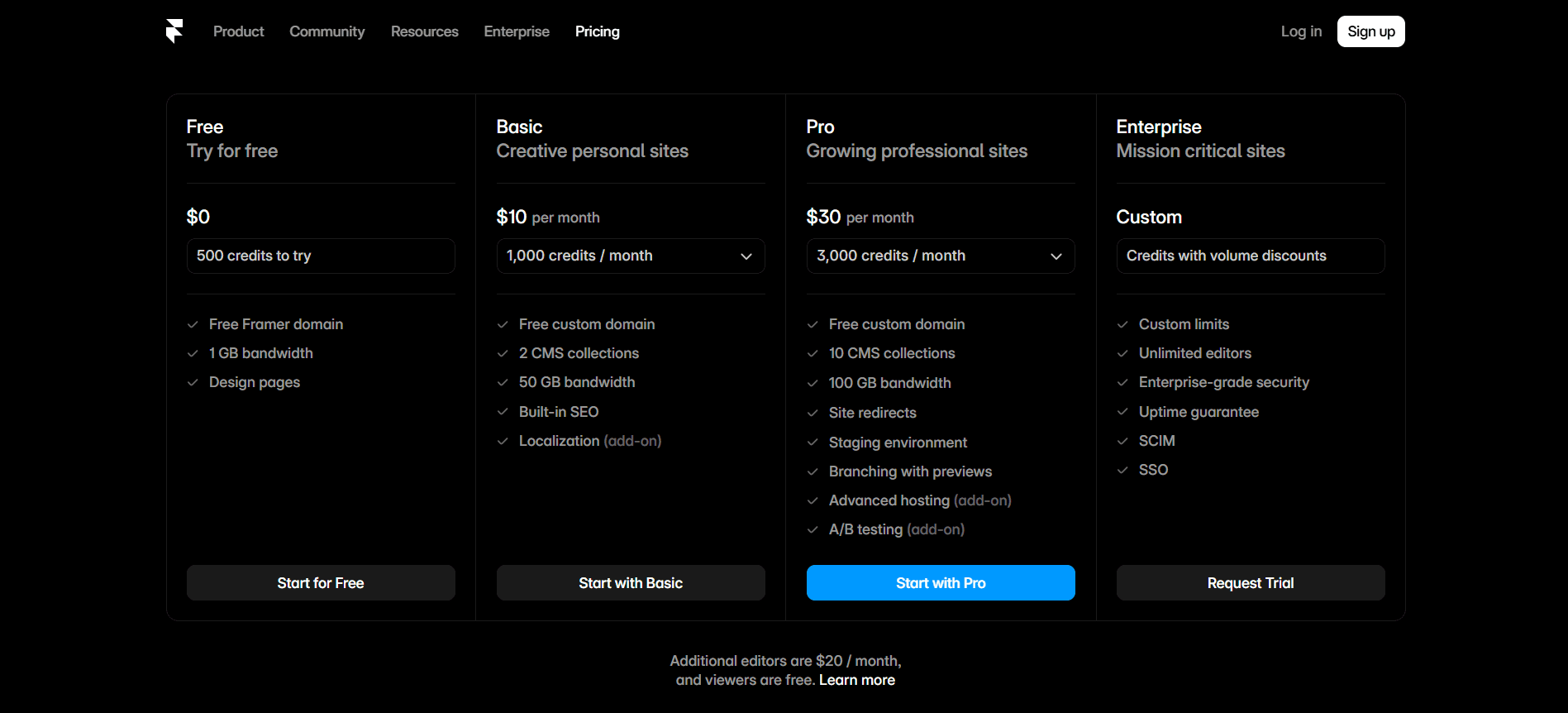
Framer comes four pricing version, such as, free, basic, pro and enterprise.
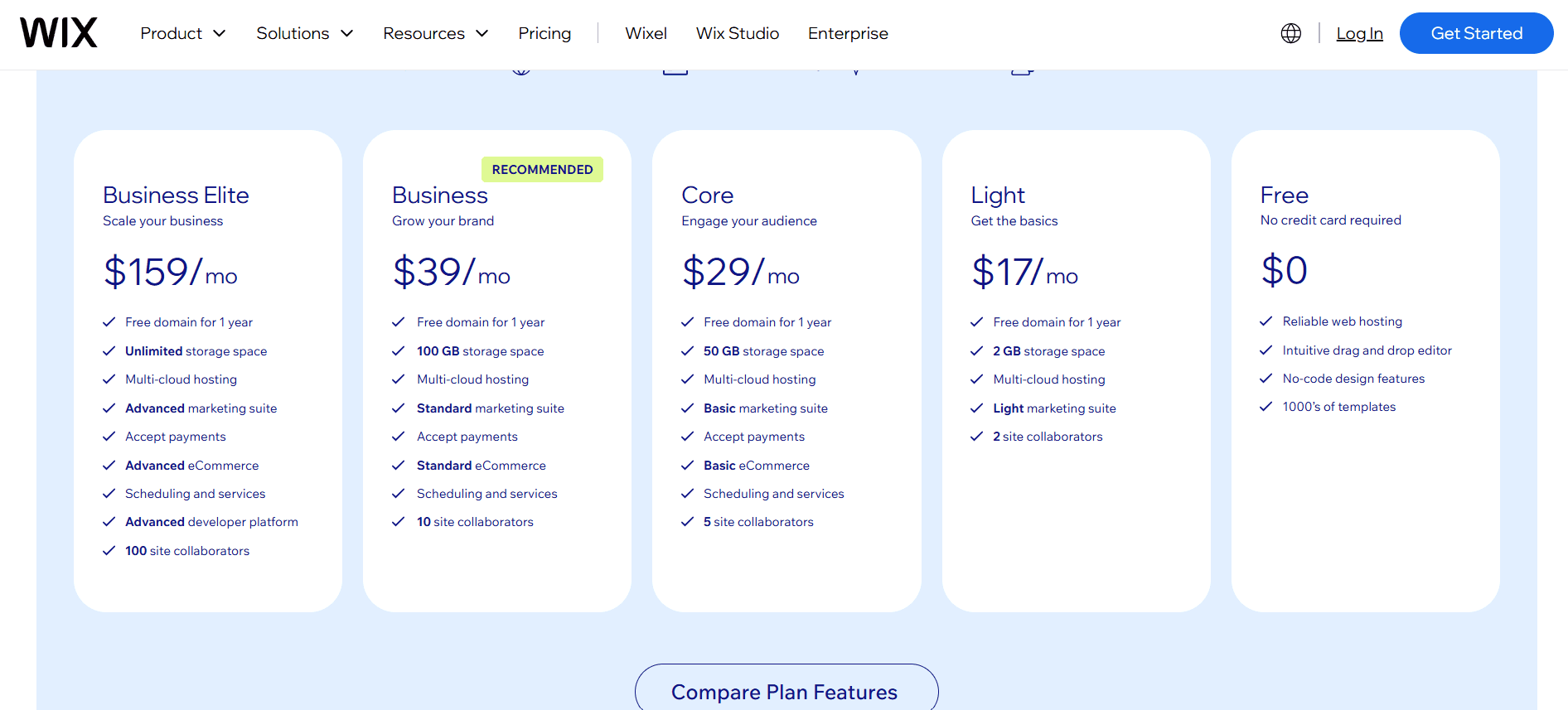
Wix comes with five pricing versions, such as, business elite, business, core, light and free.

Wix Studio, it comes with five pricing versions, such as enterprise, elite, plus, standard and basic.
You need to remember that none of the platforms will let you win for SEO, speed, accessibility, or conversions. Because those results depends on your website structure, content, media, integrations and implementation. So, before you buy a long term plan, know what you need and what your business requirements are.
If you need suggestions regarding Framer vs WordPress, Framer vs Webflow and Framer vs Figma, then check GrabUI.
Wix Studio is better than Framer when it comes to advanced features such as ecommerce, bookings, memberships, databases, client management, etc. Framer is best if you need speed, animation, visual experimentation, and design-led websites.
Yes you can migrate your Wix website to Framer, but you need to rebuild all, than automatically transfer it. The text, images, products, or CMS is exportable, but Wix layouts, applications, bookings, forms, member areas, and business workflows needs to be rebuild. And you must plan your URL redirects to protect the existing SEO value.
Both Framer and Wix supports multilingual websites, but you should pick depending on your workflow and how you want to scale. Before picking, check the language limits, translated CMS fields, localized URLs, SEO settings for building your multilingual website.
Upgrade to Grabui
Discover unlimited inspiration to help you Design fast. Build faster.


Share On


